

Are you tired of checking your outdoor thermometer only to find strange or incorrect temperature readings? It’s frustrating when you rely on your thermometer to plan your day, but the numbers just don’t add up.
You might wonder if your device is broken or if something else is causing the problem. The good news is, you can fix this. By learning a few simple troubleshooting steps, you’ll be able to get accurate readings again and trust your thermometer like you should.
Keep reading, and you’ll discover easy tips to solve this common issue quickly.
Common Causes Of Inaccurate Readings
Outdoor thermometers can show wrong temperatures for many reasons. Understanding the common causes helps fix the problem fast. This section explains typical issues that affect thermometer readings.
Placement Issues
Placing the thermometer in the wrong spot can cause wrong readings. Avoid walls, windows, or metal surfaces that hold heat. The device should be in an open, shaded area for best results.
Direct Sunlight Exposure
Sunlight heats the thermometer and gives higher readings. Even a small amount of direct sun can affect the sensor. Always place the thermometer where sunlight does not hit it directly.
Obstructions And Ventilation
Objects like trees or buildings can block airflow around the thermometer. Poor ventilation traps heat and changes the temperature. Keep the thermometer clear of obstructions and in a well-ventilated spot.
Sensor Malfunctions
Sensors can wear out or get dirty over time. Dust, dirt, or moisture on the sensor cause false readings. Check and clean the sensor regularly to keep it working well.
Environmental Factors
Weather changes like wind, rain, or humidity also affect readings. Some thermometers react slowly to sudden changes. Understanding your thermometer’s limits helps set correct expectations.

Checking Thermometer Placement
Checking the placement of your outdoor thermometer is the first step to fix wrong temperature readings. The spot where you put your thermometer affects its accuracy a lot. A good location helps you get true temperature data from outside.
Small changes in where you place the thermometer can make a big difference. This section covers tips to find the best spot, avoid heat sources, and set the right height.
Ideal Location Tips
Pick a place that gets shade most of the day. Direct sunlight heats the thermometer and gives false readings. Choose a spot with good air flow. Open areas away from walls or fences work best. Avoid places near windows or vents that blow warm air outside. Keep the thermometer in a spot that is easy to check regularly.
Avoiding Heat Sources
Stay clear of heat sources that raise the temperature around the thermometer. Avoid placing it near air conditioners, exhaust vents, or grills. Do not put it on or near a metal surface that heats quickly. Asphalt and concrete can reflect heat and make the thermometer read higher than the real air temperature. Keep at least 3 feet away from any source of heat.
Height And Positioning
Mount the thermometer about 4 to 6 feet above the ground. This height gives a good average of the air temperature where people live. Avoid placing it too low where heat from the ground can affect it. Also, do not place it too high where wind or sun exposure is stronger. Make sure the thermometer is level and not tilted. A straight position helps it show the correct reading.
Cleaning And Maintenance
Keeping your outdoor thermometer clean and well-maintained helps it give accurate readings. Dirt, dust, and damage can affect its performance. Regular care improves its lifespan and reliability. Here are simple steps to maintain your thermometer.
Removing Dirt And Debris
Start by wiping the thermometer’s surface with a soft cloth. Use mild soap and water for stubborn dirt. Avoid harsh chemicals that can damage the device. Clear away leaves, spider webs, or dust around the sensor. Clean sensors work better and give precise readings.
Inspecting For Damage
Check the thermometer for cracks or broken parts. Look closely at the sensor and display area. Damaged parts can cause wrong temperature readings. Replace or repair any damaged pieces promptly. A well-kept thermometer stays accurate and lasts longer.
Regular Calibration
Calibration keeps your thermometer reading correctly. Follow the manufacturer’s instructions for this process. Compare your device with a trusted thermometer regularly. Adjust settings if readings differ significantly. Regular calibration ensures consistent and reliable measurements.
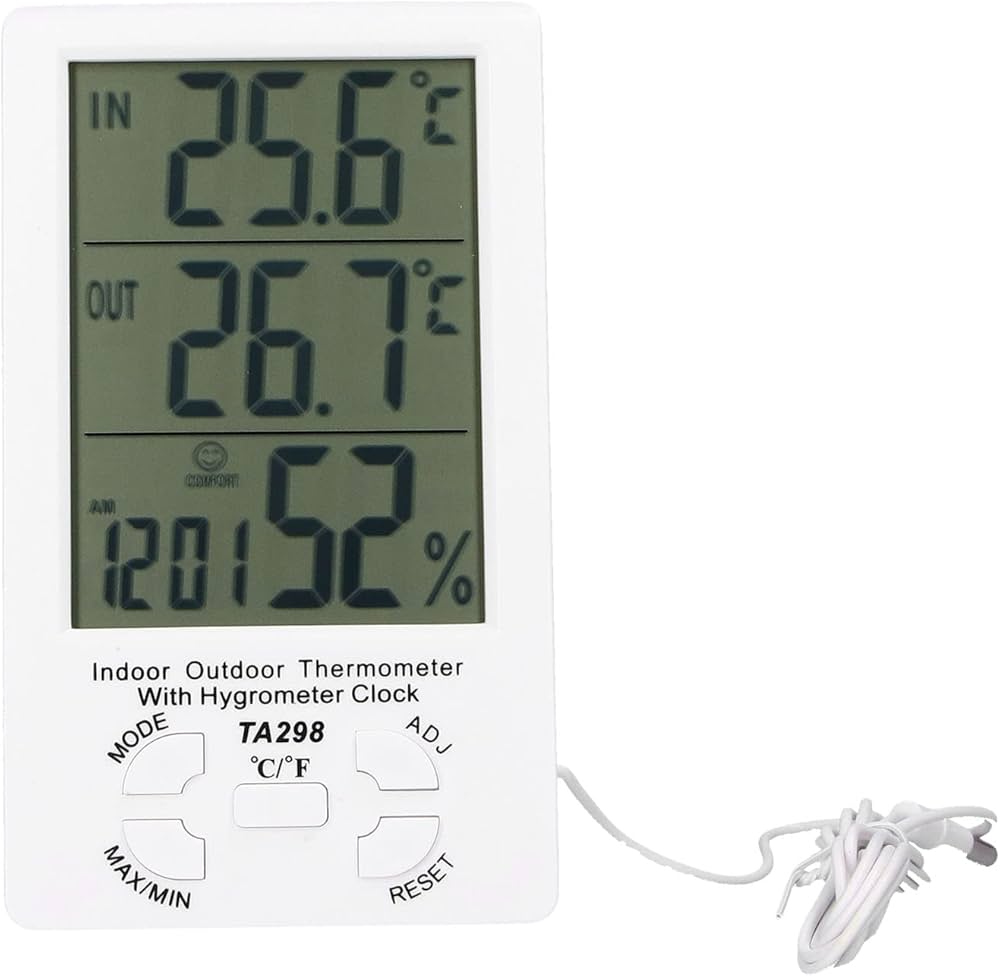
Quick Fixes To Improve Accuracy
Quick fixes can help improve your outdoor thermometer’s accuracy fast. Some small changes make a big difference. These tips help you get reliable temperature readings without much effort.
Shielding From Direct Sun
Direct sunlight heats the thermometer, causing wrong readings. Place a shade or cover over it to block the sun. Use a white or reflective shield to keep it cool. Avoid dark colors that absorb heat.
Adjusting Placement
Put the thermometer in a spot with good air flow. Avoid walls, concrete, or metal surfaces that store heat. Place it about 4 to 6 feet above the ground. Keep it away from vents or heat sources.
Resetting The Device
Sometimes the thermometer needs a reset to work right. Turn it off and remove batteries if possible. Wait a few minutes before restarting. This clears errors and helps it recalibrate for better readings.
When To Replace Your Thermometer
Knowing when to replace your outdoor thermometer saves time and frustration. A faulty thermometer gives wrong readings that affect your daily plans. Sometimes, a simple fix helps. Other times, replacement is the best choice. Watch for clear signs that the device no longer works well.
Signs Of Permanent Damage
Cracks or breaks in the thermometer case mean trouble. Water inside the thermometer ruins its accuracy. The dial or digital display that won’t change shows a broken sensor. Rust or corrosion on the metal parts stops proper function. If the thermometer never matches other devices, it may be damaged. Constant wrong readings after cleaning and resetting point to permanent damage.
Upgrading To Better Models
Basic thermometers work but lack extra features. Modern models offer clear digital screens and fast updates. Some connect to apps for easy tracking. Choosing a new thermometer can improve your weather checks. Look for models with good reviews and accuracy. Investing in better technology ensures reliable readings every day. Upgrade when your old thermometer fails often or lacks helpful functions.

Frequently Asked Questions
How To Check If My Outdoor Thermometer Is Accurate?
Compare readings with a reliable local weather station. Ensure the thermometer is shaded and away from heat sources. Calibrate if needed following the manufacturer’s instructions for precise measurement.
Why Does My Outdoor Thermometer Show Wrong Temperatures?
Incorrect placement, direct sunlight, or proximity to heat sources often cause inaccurate readings. Dirty sensors or old batteries can also affect accuracy. Proper maintenance and placement improve reliability.
How To Fix An Outdoor Thermometer Giving False Readings?
Relocate the thermometer to a shaded, ventilated area away from walls or reflective surfaces. Clean the sensor and replace batteries if applicable. Recalibrate the device to restore accuracy.
Can Weather Conditions Affect Outdoor Thermometer Readings?
Yes, extreme weather like strong sunlight, rain, or wind can impact readings. Ensure your thermometer is shielded and positioned in a consistent environment for best results.
Conclusion
Troubleshooting your outdoor thermometer can save you time and money. Check placement first—shade and airflow matter a lot. Clean the sensor gently to avoid dirt buildup. Replace old batteries to keep readings steady. Compare with another thermometer to spot errors.
Small fixes often restore accurate temperature readings. Keep your device in good shape for best results. Accurate data helps you plan your day better. Stay patient and methodical while fixing problems. Your thermometer can work well again with care.

